
Golden Mister Casino Login – Secure Sign In for UK Players
For a UK player, the Golden Mister Casino login page is more than just a box for your email and password. It’s the gateway to your balance, your personal data and your ability to deposit, play and withdraw under UKGC rules. This guide explains how to log in safely, what to do if something goes wrong, and how to keep your account secure every time you sign in.
The aim isn’t hype. It’s to help you access your Golden Mister account calmly and safely, without guesswork or panic if you forget your details.
Why your Golden Mister Casino login matters
Once you complete the Golden Mister Casino login, you can:
- See your real-money and bonus balance
- Make deposits and request withdrawals
- Update your personal details and limits
- Join promotions, tournaments or sports bets
- Access responsible gambling tools
Because Golden Mister is designed for a UK-regulated environment, your login is tied directly to:
- KYC (Know Your Customer) and identity checks
- AML and source-of-funds checks
- UKGC-required safer gambling options
In other words, this isn’t just another random account like a forum or newsletter. Treat your Golden Mister Casino login with the same care you give your online banking: strong password, secure devices, no sharing.
How to log in to Golden Mister Casino – step by step
If you already have an account, signing in should be straightforward. Here’s the typical process:
- Go to the official Golden Mister Casino site
- Type the URL directly into your browser or use a saved bookmark.
- Avoid clicking on unknown adverts or links in unsolicited emails.
- Find the “Login” / “Sign in” button
- On desktop it’s usually in the top-right corner.
- On mobile it’s often inside the main or burger menu.
- Enter your registered email address
- Use the same email you used when creating your account.
- Check for typos and make sure the correct keyboard language is active.
- Enter your password
- Type it carefully and check whether Caps Lock is on.
- Never paste passwords from suspicious sources or share them with anyone.
- Click the login button
- If your details are correct, you’ll be taken to your Golden Mister account dashboard, where you can manage deposits, withdrawals and settings.
If the login fails, don’t hammer in guesses for ten minutes. A few incorrect attempts can trigger temporary security measures. Instead, move straight to the “Forgot password” flow.
New to Golden Mister? Registration vs login
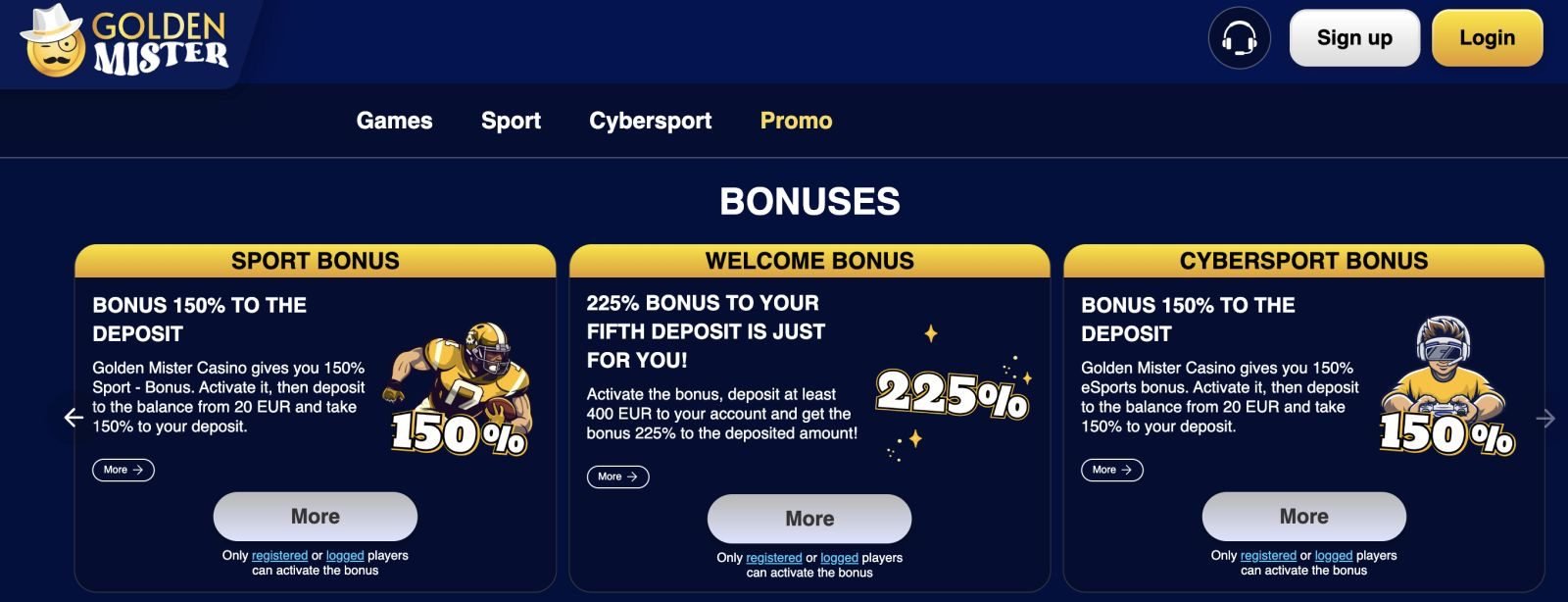
If this is your first visit to Golden Mister, the login form is not where you start. Before you can log in, you need to register an account.
A typical registration asks you to:
- Confirm you are 18+
- Enter your full legal name and date of birth
- Provide your UK address and contact details
- Choose a password and (sometimes) a security question
- Agree to the terms, privacy policy and responsible gambling rules
Once this is completed and confirmed, the same email and password become your credentials for the Golden Mister Casino login page.
If you already see messages like “Email already in use”, that usually means you previously registered and should use the login form plus password reset, not create a second account.
Forgotten password? How to reset safely
Forgetting passwords happens all the time. The most important thing is to use the official reset process, not random tools or guesswork.
Resetting your Golden Mister Casino password
- Go to the Golden Mister Casino login page.
- Click “Forgot password?” or equivalent.
- Enter your registered email address.
- Check your email inbox (and spam folder) for a reset link.
- Click the link and create a new, strong password.
A good password should:
- Be at least 12 characters long
- Mix upper and lower case letters, numbers and symbols
- Not be reused from your email, social media or other sites
If you don’t receive the reset email, wait a few minutes and refresh. Then:
- Check your spam/junk folder
- Make sure you typed the right email
- If still nothing appears, contact customer support for help
Account locked or suspicious login activity
Sometimes the system may temporarily lock your account or show warnings, especially if:
- There have been multiple failed login attempts
- You are logging in from a new device or location
- There are signs of unusual activity on the account
If this happens:
- Don’t panic – lockouts are usually a security precaution, not a permanent ban.
- Use the password reset option to secure your account.
- If you still can’t access your profile, get in touch with customer support via the official site.
Be prepared to confirm your identity. Support may ask for some details or documentation to make sure they’re speaking to the real account holder, not someone trying to hijack your account.
KYC & verification after you log in
Under UKGC rules, casinos must verify who you are and, in some cases, where your money comes from. This often happens after you’ve logged in, particularly before larger withdrawals.
From your logged-in account area, you might be asked to upload:
- A photo ID (passport or driving licence)
- Proof of address (utility bill, council tax, bank statement)
- Source-of-funds evidence if your deposits or wins are significant
This is normal for a UK-regulated operator and doesn’t mean you’re in trouble. It’s there to:
- Keep minors and self-excluded individuals away from gambling
- Fight fraud and money laundering
- Make sure withdrawals go to the correct person
The earlier you complete KYC, the smoother your future withdrawals will be. It’s often better to get documents sorted before you try to cash out a big win.
Staying safe every time you log in
To keep your Golden Mister Casino login secure in the long term:
- Use a unique password
Avoid using the same password for your email, social media and casino accounts. - Keep your devices clean
Install updates, use antivirus software and avoid logging in from public or shared devices where possible. - Log out when you’re done
Especially on shared computers or mobile phones that other people can use. - Be careful with links and emails
If you receive an email claiming to be from Golden Mister asking for your password or banking PIN, do not reply. Go directly to the official site and contact support yourself. - Use responsible gambling tools from your account
Once logged in, use deposit limits, time-outs and self-exclusion if you feel your play is getting out of control.
FAQ: Golden Mister Casino Login
Where do I log in to Golden Mister Casino?
Use the official Golden Mister Casino website and click the “Login” or “Sign in” button, usually found in the top-right corner on desktop or in the main menu on mobile. Always check the URL to avoid imitation sites.
I’ve forgotten my password – what should I do?
Click “Forgot password?” on the Golden Mister Casino login page, enter your registered email and follow the instructions in the reset email. Create a new, strong password and avoid using the old one again.
Can I have more than one Golden Mister account?
No. UKGC expectations and casino rules generally allow one account per person. If you can’t log in, recover or unlock your existing account rather than trying to register a second one.
Why is Golden Mister asking for documents after I log in?
This is part of standard KYC and source-of-funds checks required under UK law. You may need to provide ID and proof of address before withdrawals are processed. It’s a protection measure for both you and the operator.
My account seems locked – am I banned?
This is part of standard KYC and source-of-funds checks required under UK law. You may need to provide ID and proof of address before withdrawals are processed. It’s a protection measure for both you and the operator.
Is it safe to stay logged in on my phone?
Only if your phone itself is secure (screen lock, no shared use). Even then, it’s safer to log out once you finish playing, especially if other people can access your device.
Can support ask me for my password?
No. Genuine Golden Mister support will never ask for your password. If someone does, do not share it and contact official support directly through the site.